
Report an error from the scanner app
Report a problem from the app with a few taps.
When something fails in the scanner app, report it from the app instead of writing a separate email.
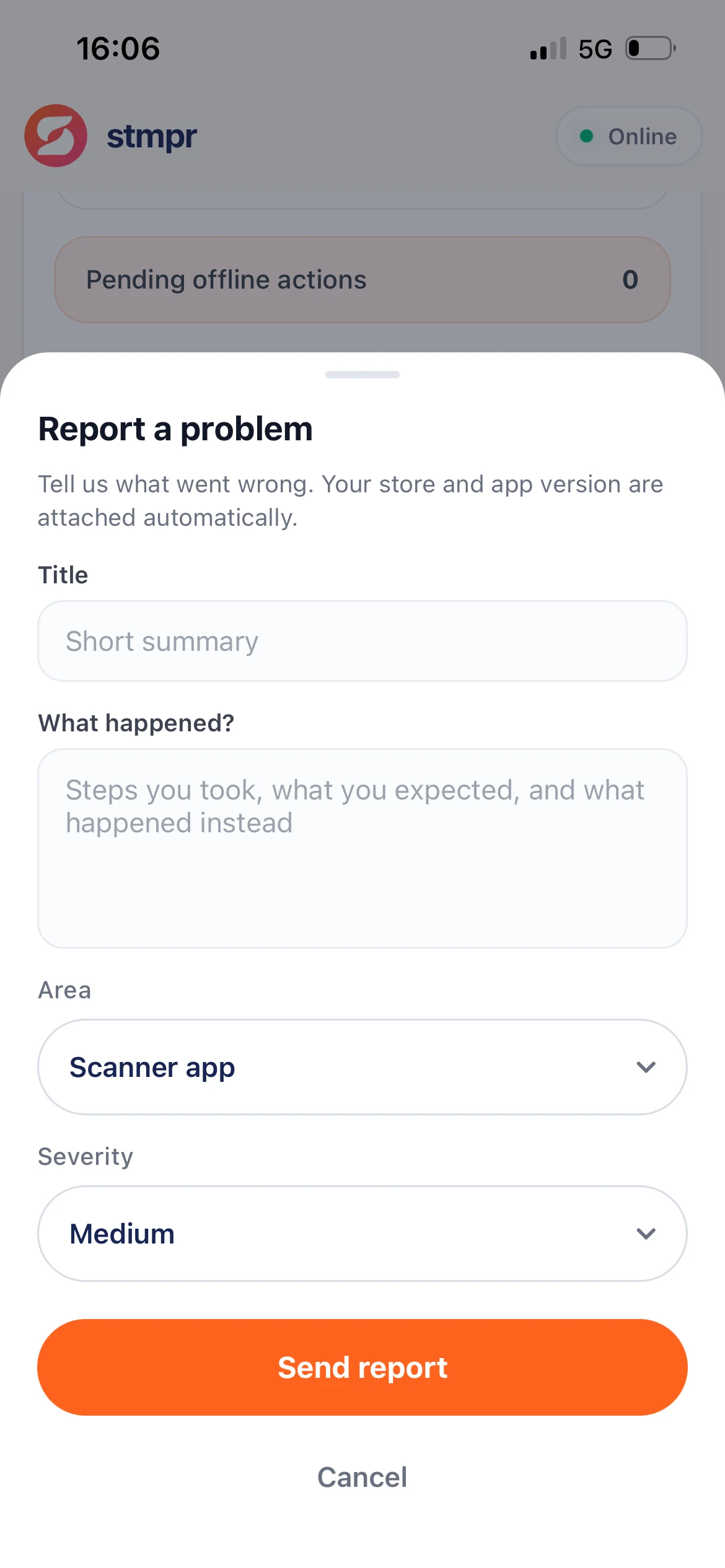
At the bottom of Settings use Report a problem: short form with title, description, area, and severity.
Store and app version attach automatically so we can diagnose faster.
Scanner app · Settings · Report a problem
Why use this?
Clear context leads to faster fixes.
No need to hunt for a support channel. One tap from the app.
Version and store metadata help support without sensitive tokens.
Step by step
- Open Settings in the scanner app.
- Scroll down and tap Report a problem.
- Add a short title and describe what happened (steps, expected vs actual).
- Choose Area and Severity.
- Tap Send report. Confirmation shows success.
What is included
- Your title, description, area, and severity.
- Automatically: store name, app version, and build ID.
- Never: login tokens or other secrets.