
Guest segments
Filter for inactive, near-reward, and new guests.
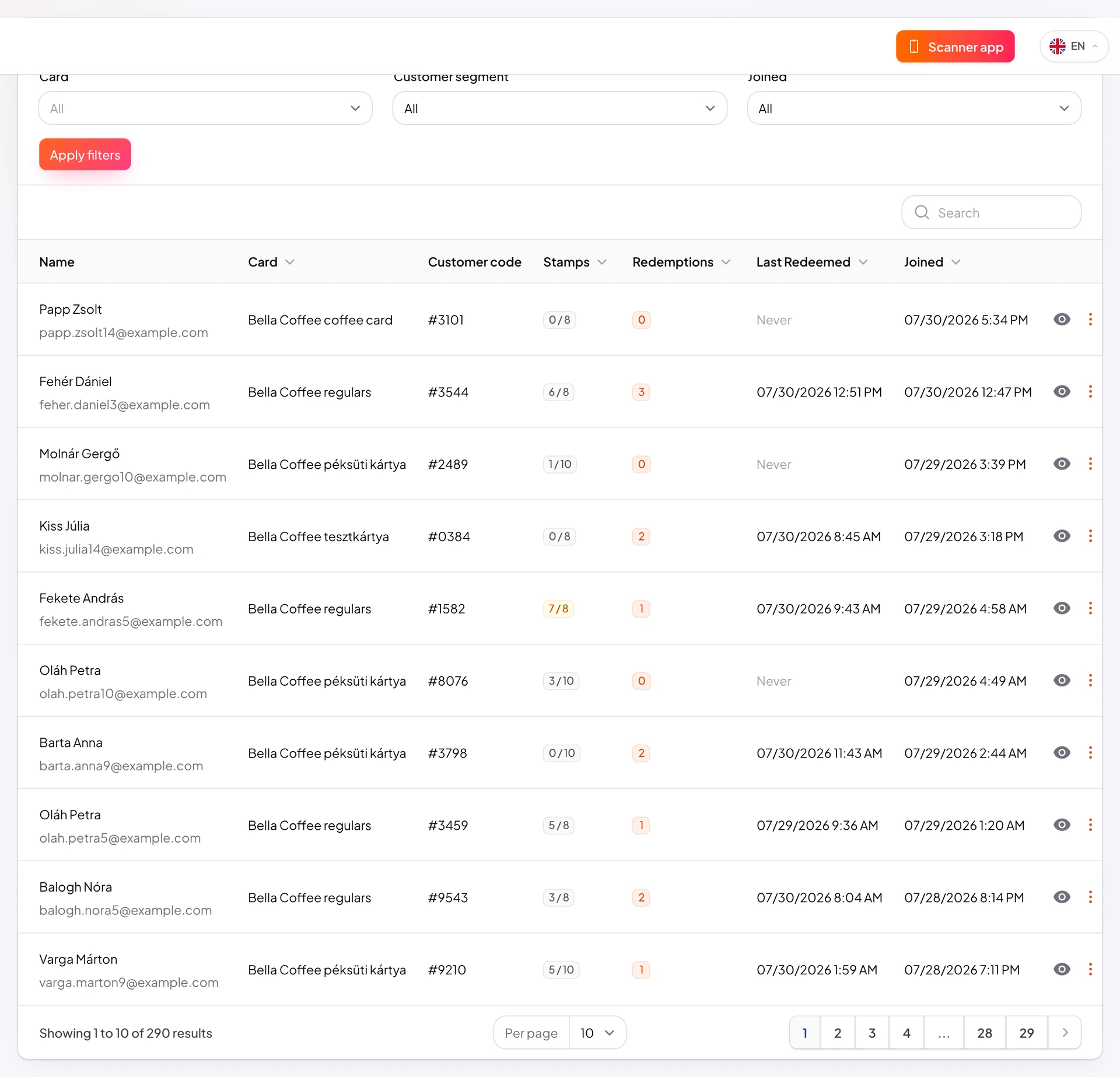
Customer segments filter the list: one stamp from reward, inactive 30 days, newly joined, and more. Useful for push and reporting.
Segments appear in Customers and when sending notifications.
Targeted messages outperform blasting everyone.
https://stmpr.io/dashboard/customers · Segments
Why use this?
Win back inactive customers and raise return rate.
“Close to reward” segments are ideal for reminder pushes.
“Ready to redeem” nudges redemption before customers forget.
Step by step
- Open Customers.
- Select a card if you run multiple programs.
- Use segment filters at the top of the list.
- Export the list (plan permitting) or send push from Push Notifications.
- When sending, pick the segment as the audience.
Common segments
- Close to reward: only 1-2 stamps missing.
- Ready to redeem: reached stamp count, not redeemed yet.
- Inactive 30 days: has not visited recently.
- New 30 days: recently enrolled, good for welcome messages.