
Creating a flyer
Creating a printable QR code flyer.
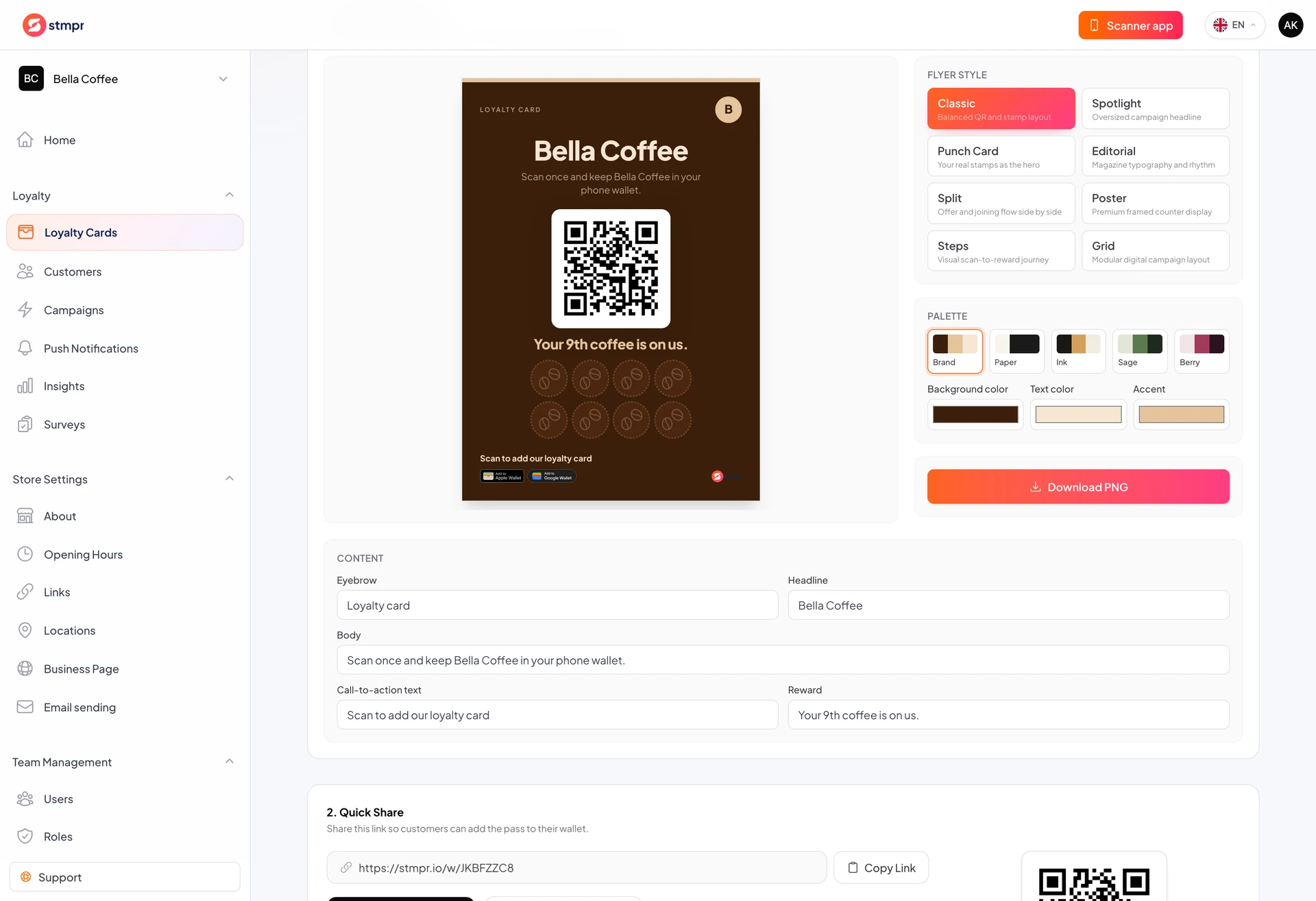
The flyer generator builds printable material with QR code, brand colors, and short copy. No separate designer needed.
Find it on the card Share tab. It pulls card data automatically.
Choose styles such as poster, counter stand, or step-by-step guide for customers.
https://stmpr.io/dashboard/wallets/{id}/share · Flyer
Why use this?
Print at the counter reminds customers about the program, especially first-time visitors.
Brand colors look professional.
Built-in QR always points to the correct enrollment link.
Step by step
- Open the card Share tab.
- Scroll to the Flyer section.
- Pick a style (classic, poster, steps, and so on).
- Adjust colors to match your brand.
- Preview and tweak title or subtitle.
- Download the PNG and print A4 or A6.
- Place it where customers will see it.