
Use a scanner offline
Stamping, guest list, and search without internet.
The scanner app works without internet: if Wi-Fi or mobile data drops at the counter, stamping, undo, and redemption continue.
The customer pass updates locally and the action queues; when connection returns, it syncs automatically.
Customer list, search, and new customer QR use the last loaded data offline.
Scanner app · Offline queue
Why use this?
The counter should not stop for weak signal. Customers still get stamps.
Queued actions are not lost. Sync is automatic.
Reliability matters most during rush hours.
Step by step
- Stamp, undo, or redeem as usual. Without network the app queues the action.
- Open Customers: the last loaded list and search still work offline.
- New customer QR works offline; they enroll on their own phone.
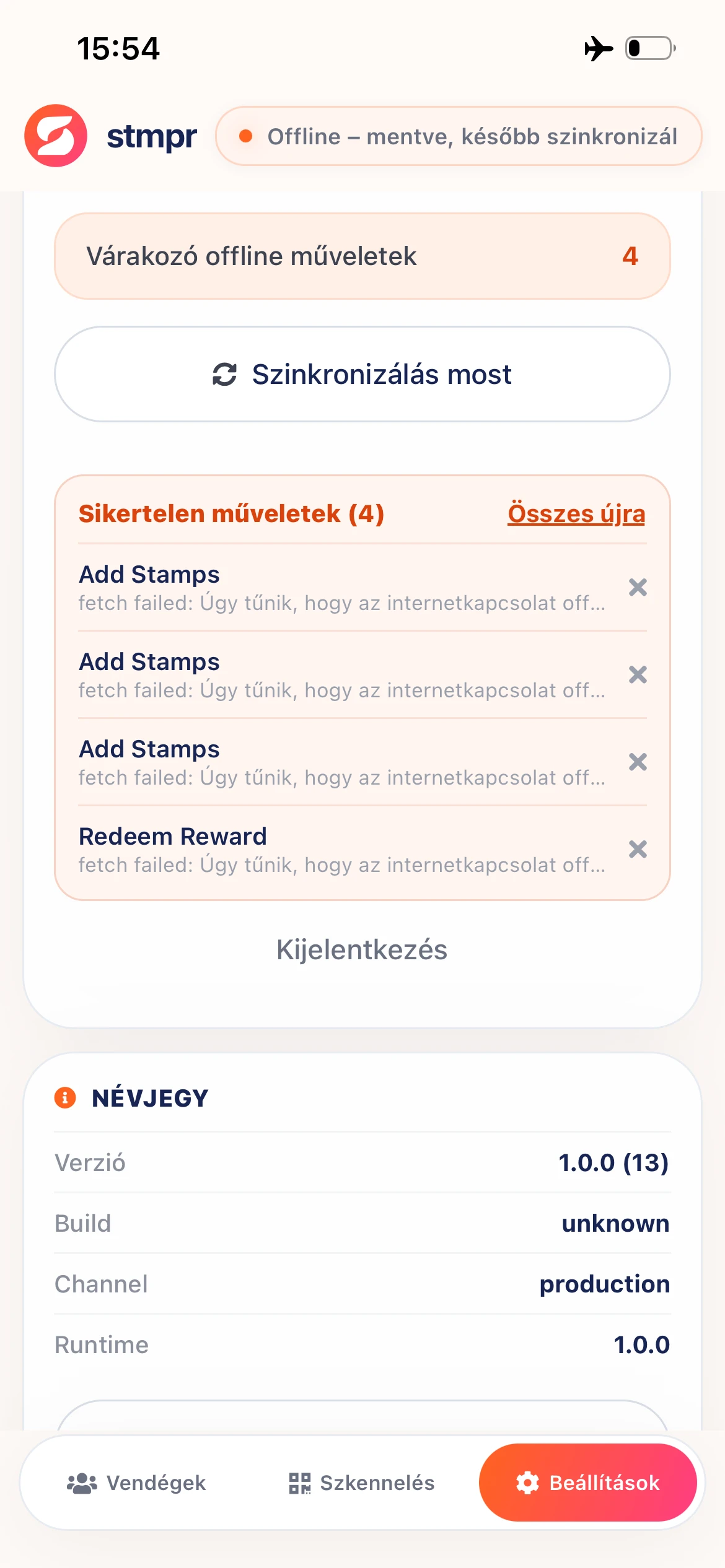
- When connection returns the app sends queued actions. Settings shows pending count.
- Retry or discard failed items on Settings if needed.
Good to know
- The offline list reflects the last online load. Open Customers once while online to refresh.
- Pick a location before going offline. Stamping requires a location.
- Rarely the server may differ after offline work if another device stamped too. After sync, the server wins.