
WooCommerce integration
Prerequisites, setup, field mapping, testing, and troubleshooting for the WooCommerce connection.
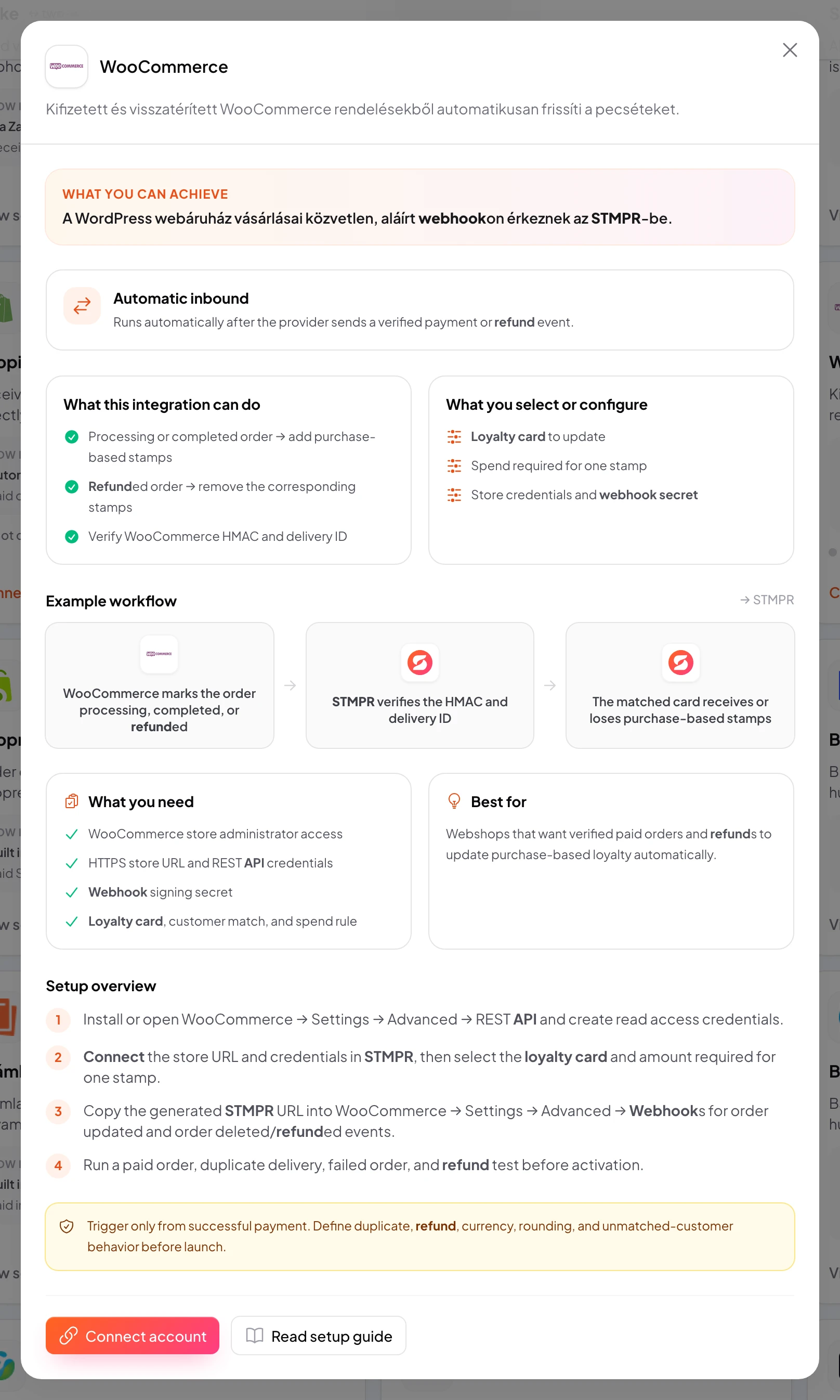
Use the WooCommerce integration to match the customer and update purchase-based stamps.
Data flows from the provider into stmpr.
Connecting the account does not activate a workflow by itself. Select the loyalty card, trigger, destination action, and customer matching rule separately.
WooCommerce · Settings
Image placeholder: WooCommerce: create the required access
https://stmpr.io/dashboard/integrations
Why use this?
Replace manual data transfers with a verified and observable workflow.
Idempotency prevents duplicate rewards, while consent gates protect marketing data transfers.
- 1A paid, refunded, or cancelled order
- 2Authentication, duplicate protection, and customer matching
- 3Match the customer and update purchase-based stamps
Step by step
- In WordPress, open WooCommerce → Settings → Advanced → REST API and create read-only credentials.
- In stmpr, open Developers → Integrations → WooCommerce → Connect, then enter the store URL and credentials.
- Select the loyalty card and amount required for one stamp.
- Copy the stmpr webhook URL to WooCommerce → Settings → Advanced → Webhooks for order updates and refunds.
- Run paid-order, duplicate-delivery, failed-order, and refund tests.
- Check the delivery log, then activate the live workflow only after every test passes.
- To disconnect, disable the workflow first, then remove the WooCommerce webhook and revoke the REST API key.
What you select and verify
- Trigger: a paid, refunded, or cancelled order
- Action: match the customer and update purchase-based stamps
- Loyalty card, business, or location
- Customer matching and required fields
- Consent, refund, cancellation, and no-show rules
- Test data, duplicate protection, and delivery log