
Create and activate a questionnaire
Compile questions, choose a card, and then activate the questionnaire.
Surveys collect feedback on a public link or via one-time invites to loyalty card customers.
Every response starts with a 1-5 star question you write, plus up to four custom questions.
Drafts are editable. Activation sends invites once and locks content. Plans limit active surveys.
https://stmpr.io/dashboard/surveys · Editor
Step by step
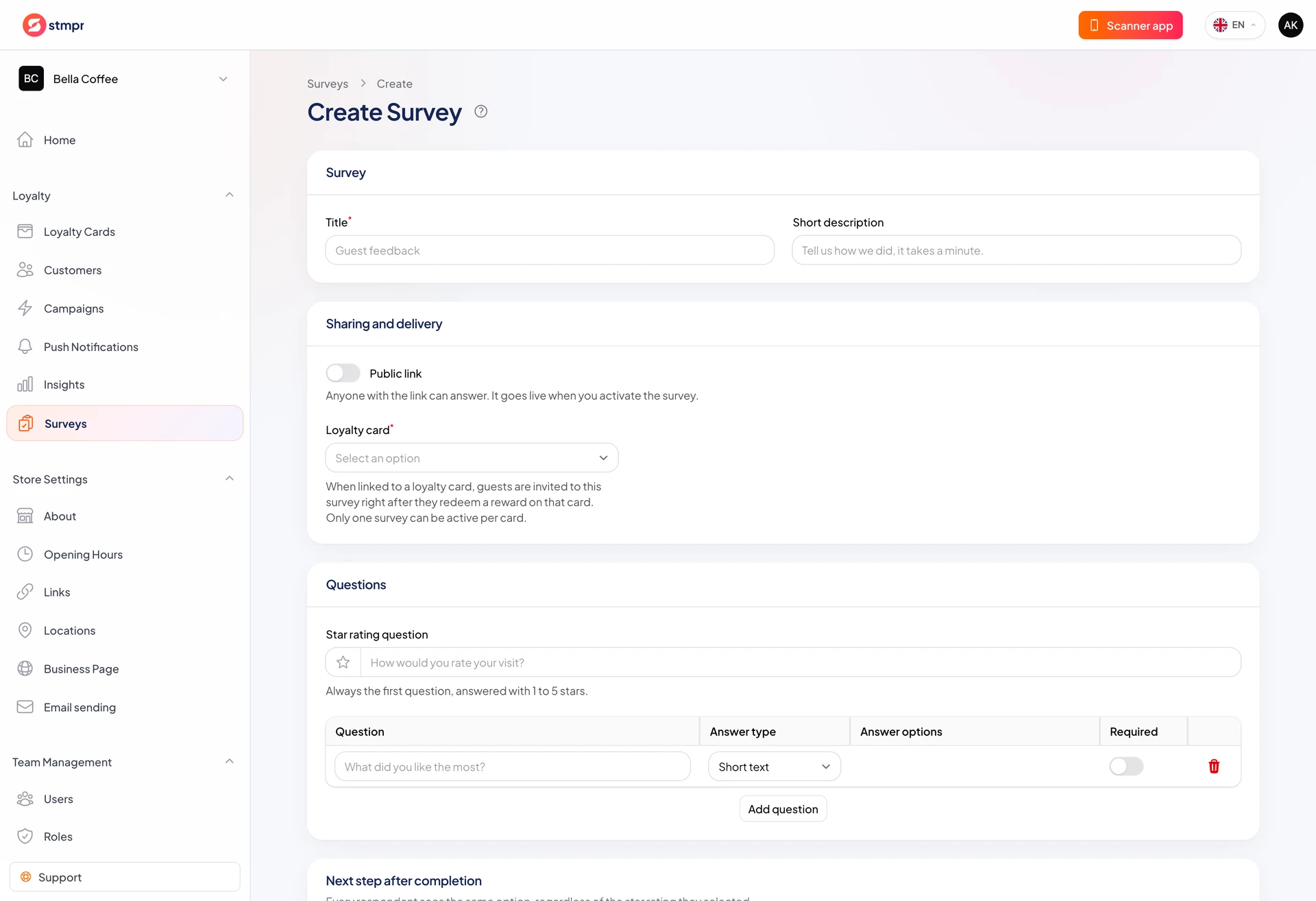
- Open Loyalty Surveys and create a survey.
- In Survey add title and description shown on the form.
- Set Star rating question text (for example “How was your visit?”).
- Add rows: question text, answer type, required flag.
- For choice questions fill Answer options one per line.
- In Sharing and delivery set public link and channels.
- Save, then Activate from header. Confirm counts for Wallet and email recipients.
States
- Draft: not public, fully editable.
- Active: public link live, one-time invites sent, no more edits.
- Archived: link closed, responses kept, cannot edit or reactivate.