
Notification statuses
What draft, queued, sent, and failed mean.
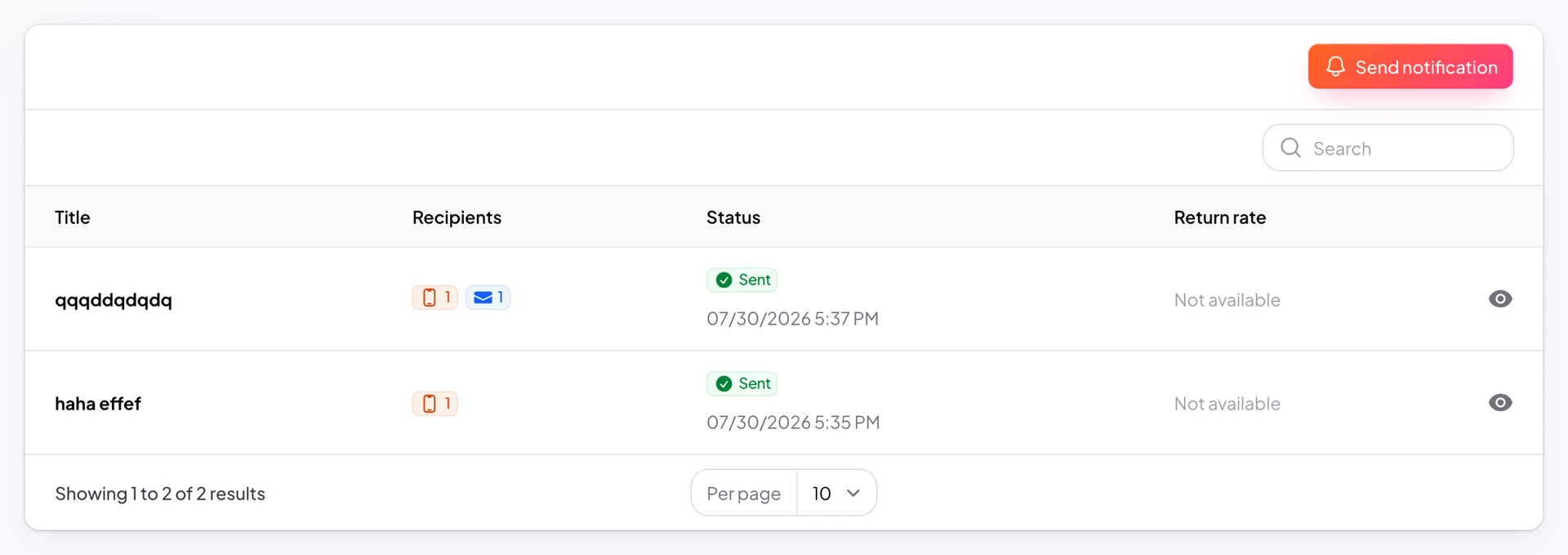
Every send appears in Push Notifications with a status so you know what happened.
Status separates recorded campaigns from deliveries that reached devices.
Send queues delivery; background processing completes push delivery.
https://stmpr.io/dashboard/notifications · Status column
Why use this?
See whether messages actually reached customers.
Failed status means retry after fixing the issue.
Nothing looks “sent” until delivery succeeded.
Step by step
- Draft: saved, not queued yet.
- Scheduled: waiting for its send time. You can reschedule or cancel it until then.
- Queued: recorded and waiting; Sent column empty until delivery.
- Sent: delivered; Sent column shows timestamp.
- Failed: delivery error; review and retry.
- Cancelled: a scheduled campaign you stopped before it went out.