
Shopify and Stripe loyalty processes
Shopify and Stripe automatic rewards of purchases with a stamp.
Shopify and Stripe send signed purchase events into stmpr. This is the reverse of a marketing sync: the commerce provider is the event source and stmpr updates loyalty.
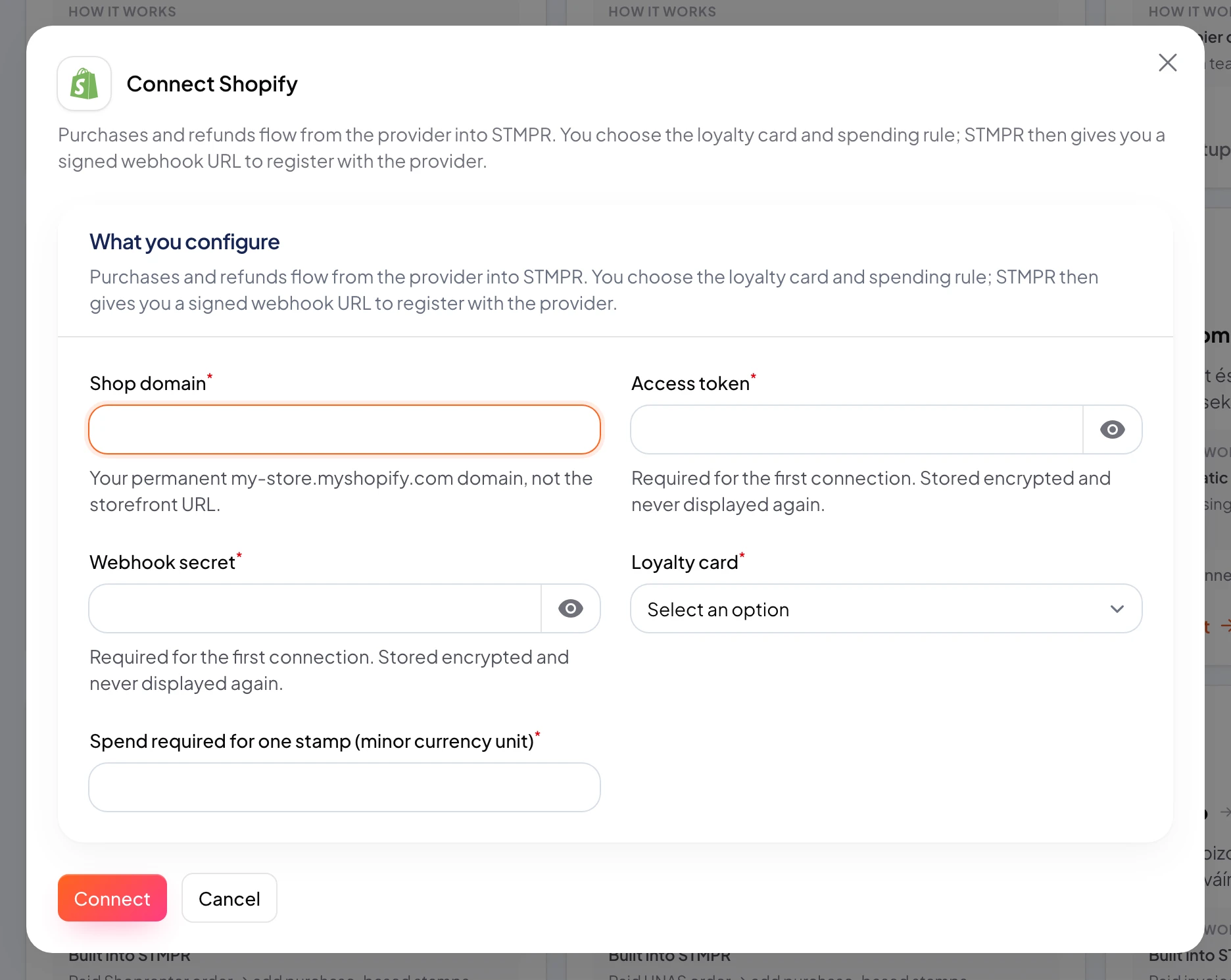
Connect the provider in the Integrations dashboard, choose the destination loyalty card and spending threshold, then register the connection-specific stmpr webhook URL in Shopify or Stripe.
stmpr verifies the provider signature and event ID before matching the customer and updating stamps. Zapier or Make is still useful when your matching or reward rules need custom branches.
https://stmpr.io/dashboard/integrations · Shopify
Stripe · Workbench destination
Image placeholder: Stripe Workbench destination with signed payment and refund events
- 1Signed Shopify or Stripe event
- 2stmpr verification and customer match
- 3Loyalty stamps updated
Step by step
- Open Integrations and connect Shopify or Stripe with the credentials listed below.
- Choose the destination loyalty card and enter the amount, in minor currency units, required for one stamp (for example 500 means one stamp per 5.00 spent).
- Copy the generated stmpr webhook URL from the integration card into the provider.
- Shopify: in Settings → Notifications → Webhooks, create webhooks for Order payment (orders/paid) and Refund create (refunds/create) pointing at the stmpr URL, JSON format.
- Stripe: in Developers → Webhooks, add the stmpr URL as an event destination and select only payment_intent.succeeded and refund.created.
- Make sure checkout email or phone matches the field collected by the selected loyalty card.
- Test success, duplicate delivery, unmatched customer, below-threshold purchase, and refund behavior before launch.
Where to find each credential
- Shopify shop domain: the permanent my-store.myshopify.com domain from Settings → Domains, not the storefront URL.
- Shopify access token: Settings → Apps and sales channels → Develop apps → Create an app, grant the read_orders Admin API scope, install the app, then reveal the Admin API access token (shown once).
- Shopify webhook secret: the signing secret displayed at the bottom of the Settings → Notifications → Webhooks page after you create the first webhook.
- Stripe secret key: Developers → API keys; a restricted key that can read account data is enough for the connection test.
- Stripe webhook secret: the whsec_… signing secret shown after creating the event destination in Developers → Webhooks.