
Statistics per card
Comparison of loyalty programs.
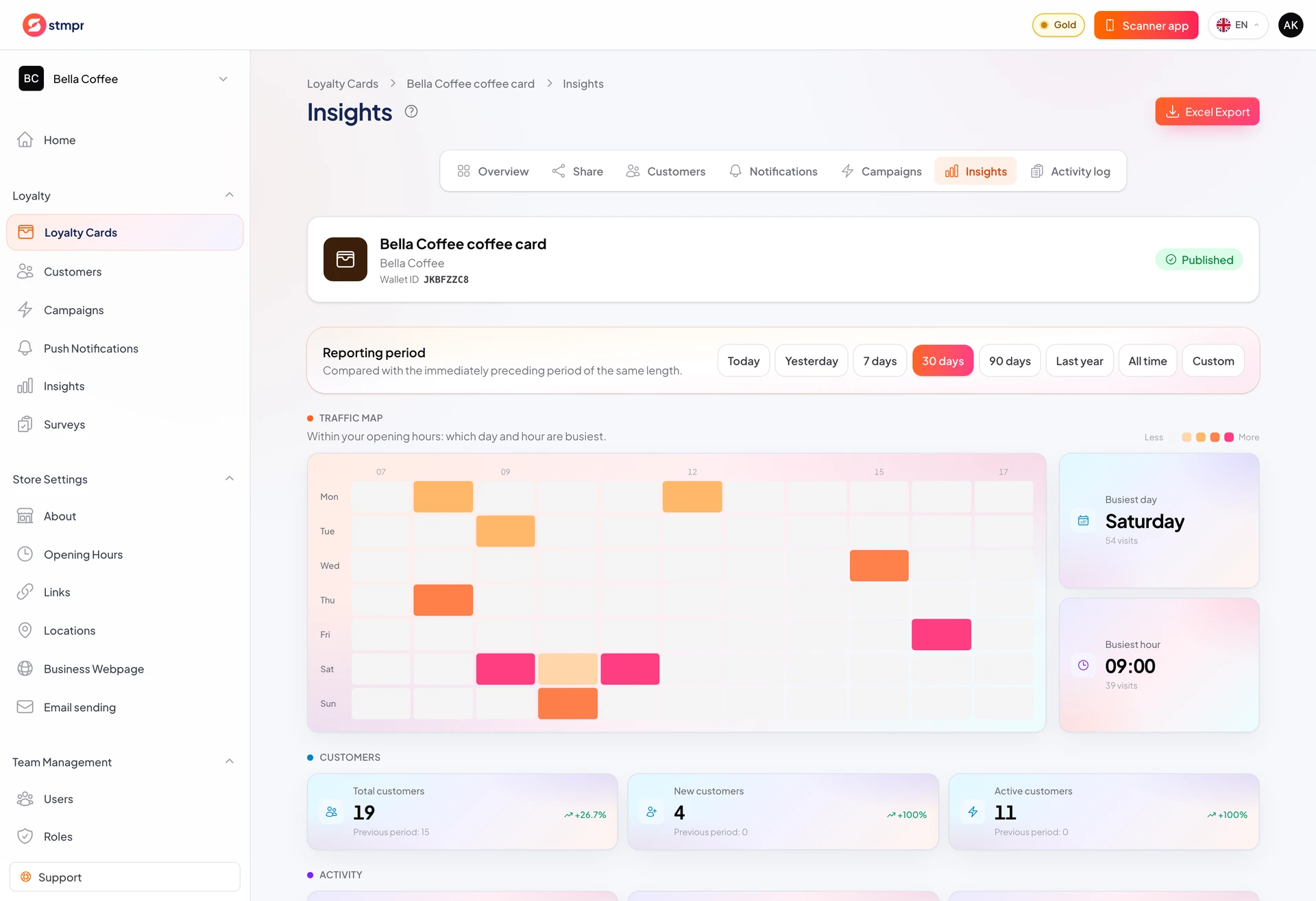
Per-card Insights matter when you run several programs (coffee vs pastry, for example).
Open a card and use the Insights tab for that program only.
Compare cards to decide where to promote or adjust rewards.
https://stmpr.io/dashboard/wallets/{id}/insights
Why use this?
Weak card performance may mean weak reward or weak promotion.
Copy what works from your best card.
Card-level push and segments target more precisely than store averages.
Step by step
- Open the card from Loyalty Cards.
- Click Insights.
- Select a period, or set a custom date range. Paid plans also show the busy-hours heatmap on this tab.
- Compare KPIs to store-level Insights.
- If one card lags, check enrollment and redemption rates.
- Plan push or reward changes from the data.