
Assign locations to a card
Multiple locations in one program.
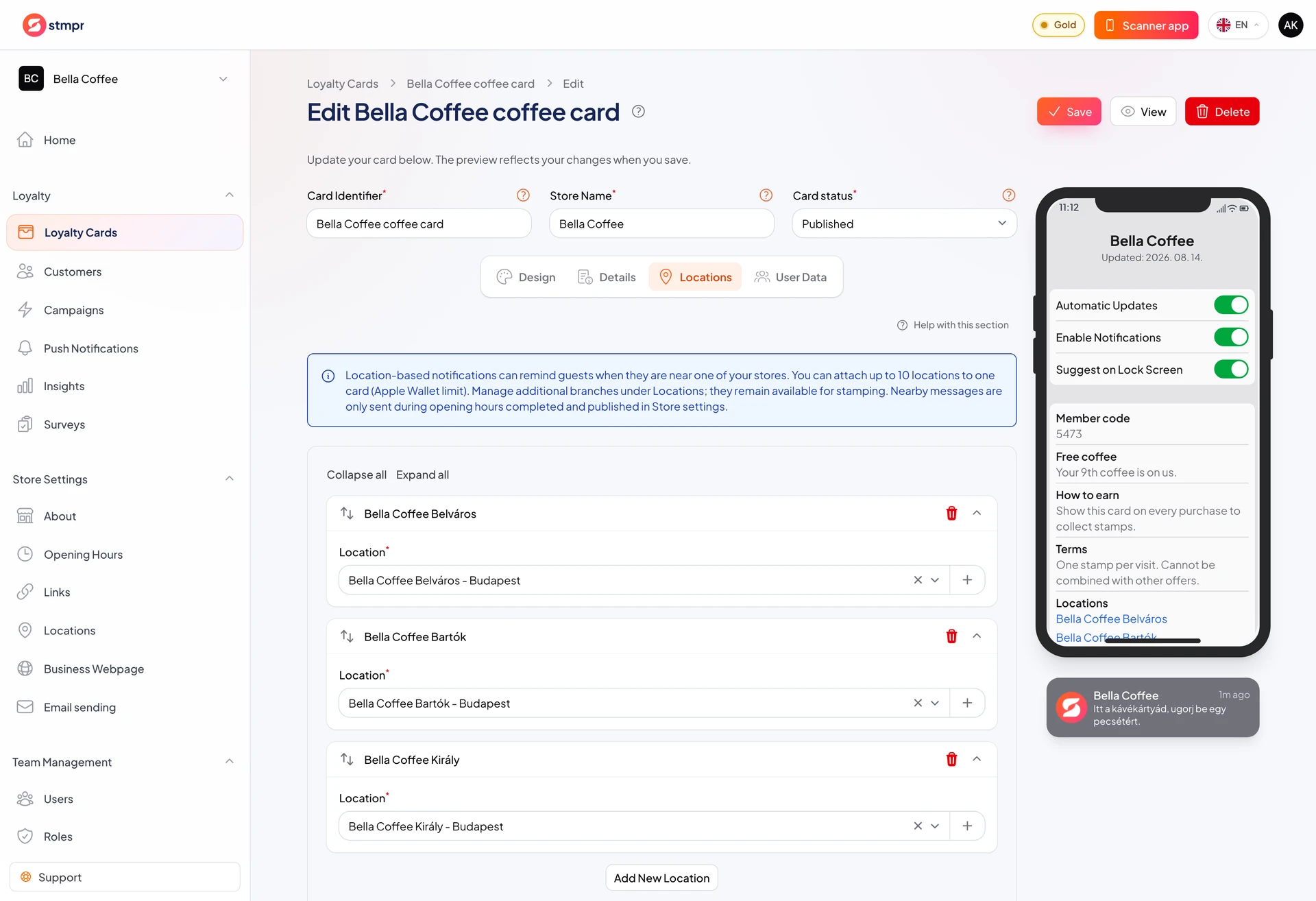
Locations tied to a card power nearby reminders and accurate reporting. One card can link to multiple addresses.
Create locations in Locations, then attach them on the card Locations tab.
For multiple branches, use one location record per address.
https://stmpr.io/dashboard/wallets/{id}/edit · Locations
Why use this?
Nearby reminders only work when the card has an accurate location.
Location-based reports show which branch performs best.
Customers also see addresses on the pass, which helps them find you.
Step by step
- Open the Locations tab in the card editor.
- Click to add a location.
- Pick an existing address or create one inline.
- Repeat for every branch where the card is valid. Your plan caps the total, so the add button disappears once you reach it: Free, Start and Bronze allow one location, Silver three, Gold ten.
- Optionally enable the nearby reminder and write the message.
- Save the card with Save.