
Campaign results and return statistics
Deliverability, engagement, and post-campaign returns.
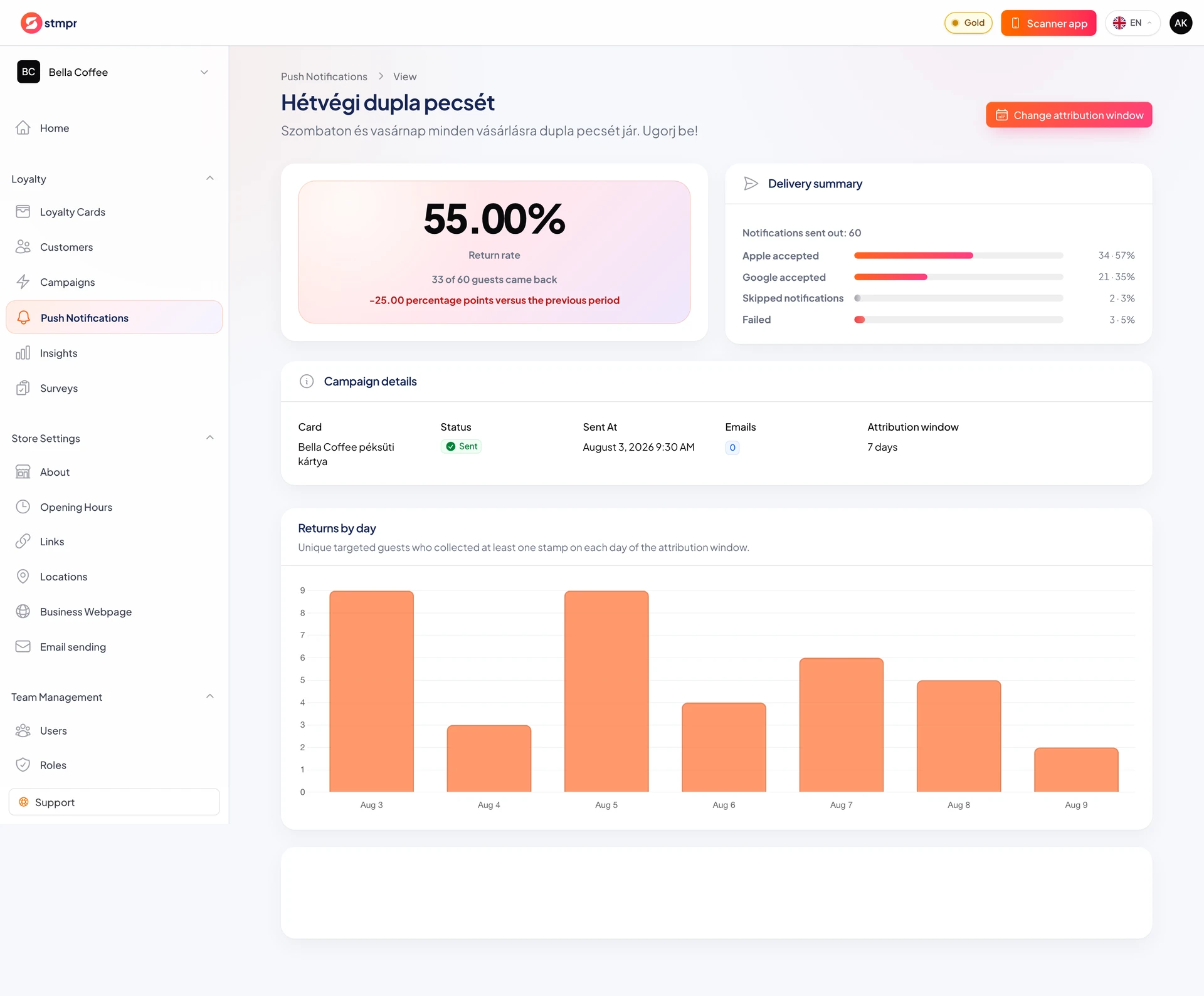
A campaign report shows audience size, notifications accepted by Apple and Google, skipped or failed deliveries, and visits after the campaign.
The return rate becomes final only after the measurement window closes. The default is 7 days, and a closed campaign can be recalculated for 3, 14 or 30 days.
The report compares returns after the campaign with the same length of time before it. This is useful context, but does not prove that every visit was caused by the campaign.
https://stmpr.io/dashboard/notifications/{campaign} · Campaign report
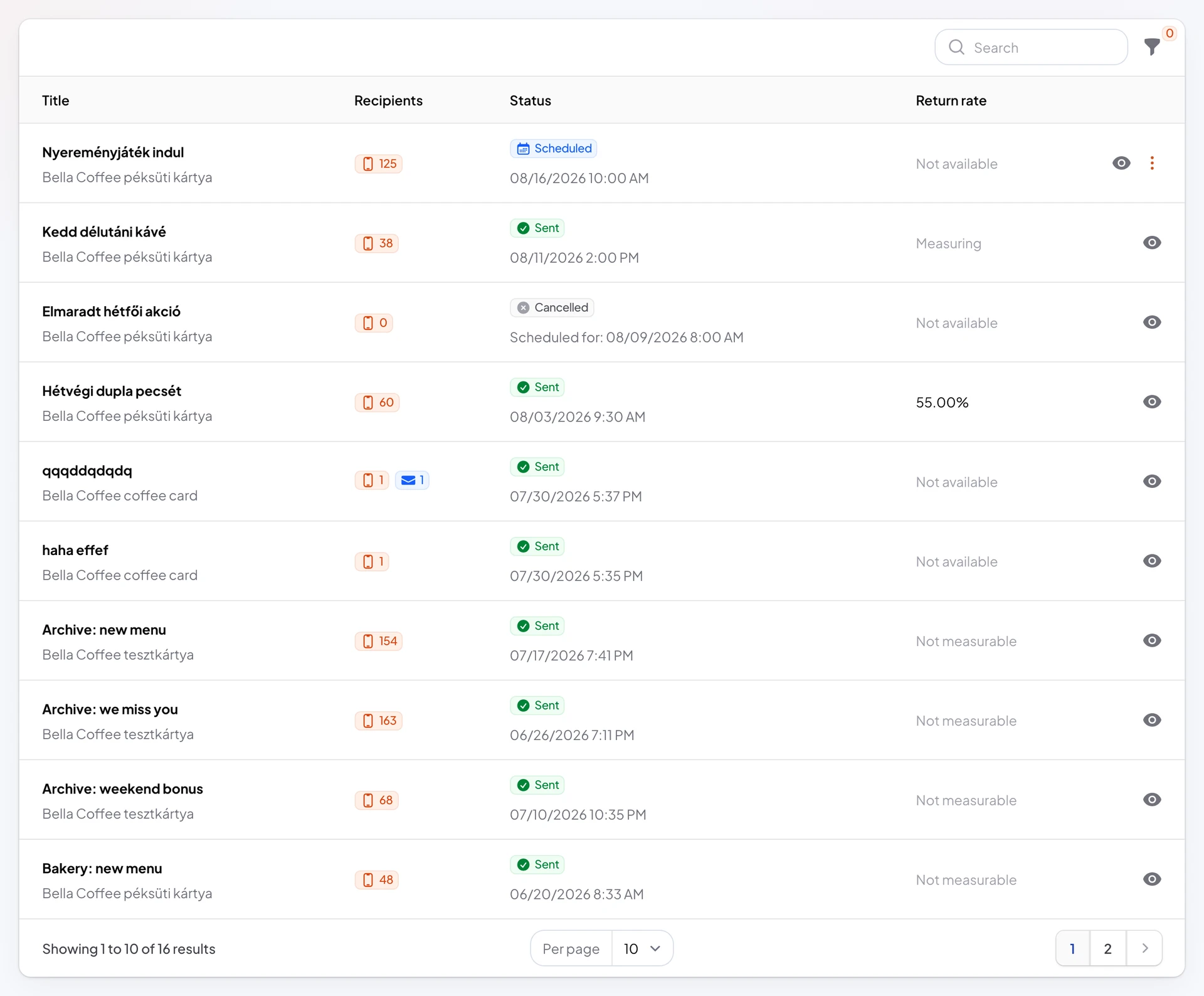
https://stmpr.io/dashboard/notifications · Compare campaigns
Step by step
- Open Push Notifications and select a sent campaign.
- Review reached customers, Apple and Google accepted deliveries, skips, and failures.
- After the measurement window closes, review returning and redeeming customers, the return rate, and the baseline period.
- Use the daily chart to see whether returns happened immediately or later. The provider failure list explains unsuccessful deliveries.
- Compare completed campaigns with the Return rate column in Push Notifications. A campaign still measuring, or an older campaign without a pinned audience, does not show a final rate.