
Overview of the stmpr Control Panel
Where you can find the main menus, KPIs, and quick actions.
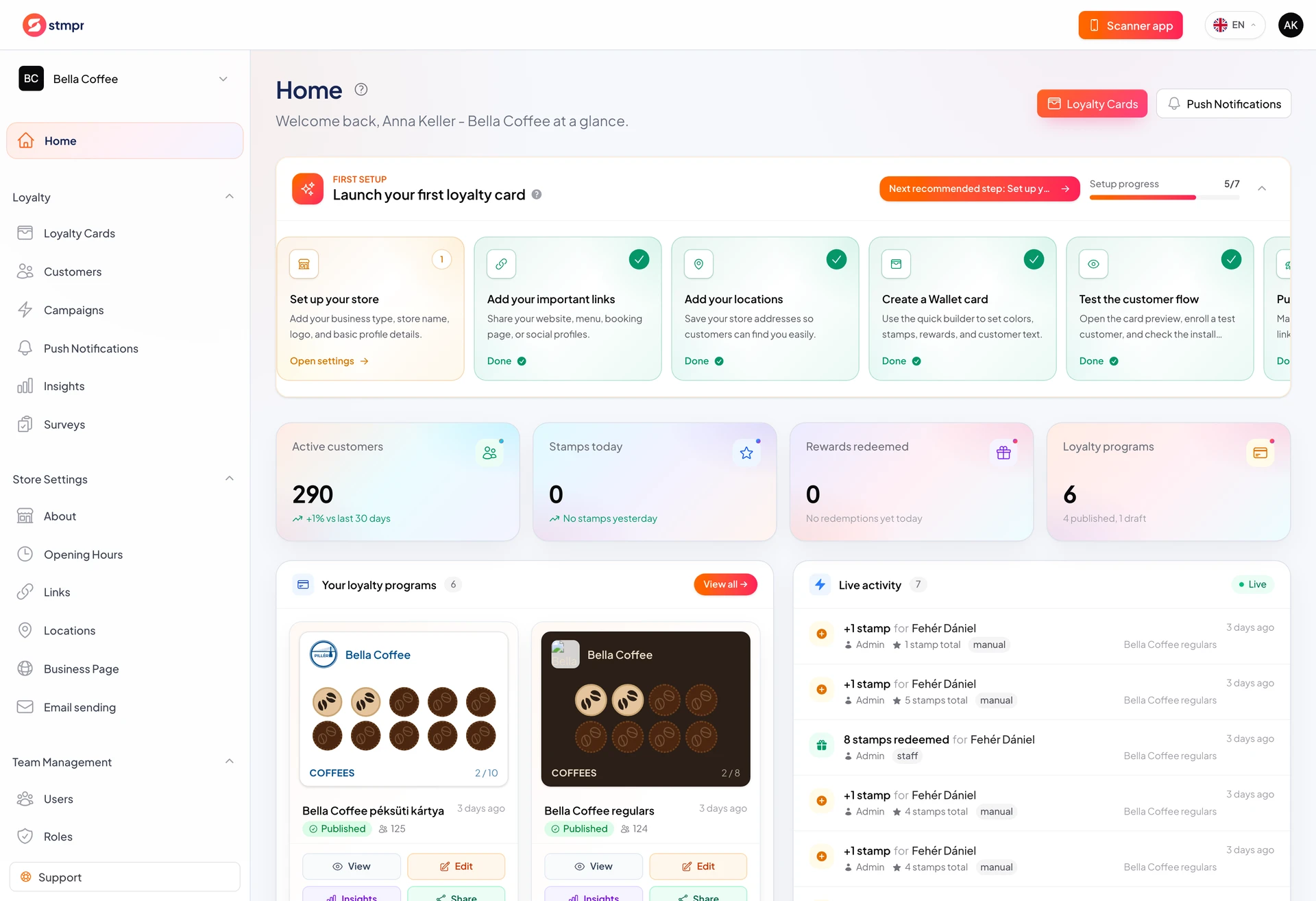
The stmpr dashboard is the control center for your loyalty program. From here you manage loyalty cards, locations, customers, notifications, Insights, and your team, all inside one store.
The left-hand menu takes you to daily work: jump to the most important features, switch store in the top bar, or open account settings.
If you just signed up, onboarding walks you through the basics first. If your program is already running, this article helps you find where everything lives.
Why use this?
Once you know the dashboard layout, everyday tasks are faster: stamping, redeeming, sending a notification, or checking a report.
KPIs and alerts show immediately when something needs attention, for example when many customers are close to a reward, or your monthly push quota is running low.
Your team works in the same interface. When you know where everything is, training new staff is easier.
Step by step
- Sign in to your stmpr account and choose the store in the top-left Store switcher.
- Open Home: here you see the key numbers and recent activity.
- Use Loyalty Cards to launch or edit your programs.
- Locations, Customers, Push Notifications, and Insights cover day-to-day operations.
- In the top-right profile menu you reach Store Settings, the Team menu, and Subscription & invoices.
- If an alert appears on Home, click it. It usually takes you straight to the fix.
What to know about stores
- One store = one business or brand. You can manage multiple stores from one account.
- The left-hand menu looks the same for every signed-in team member; visible actions depend on their role.
- The dashboard works in a mobile browser, but for stamping we recommend the scanner app.