
Set hours and holidays
Manage weekly time slots, closed days, and exceptions.
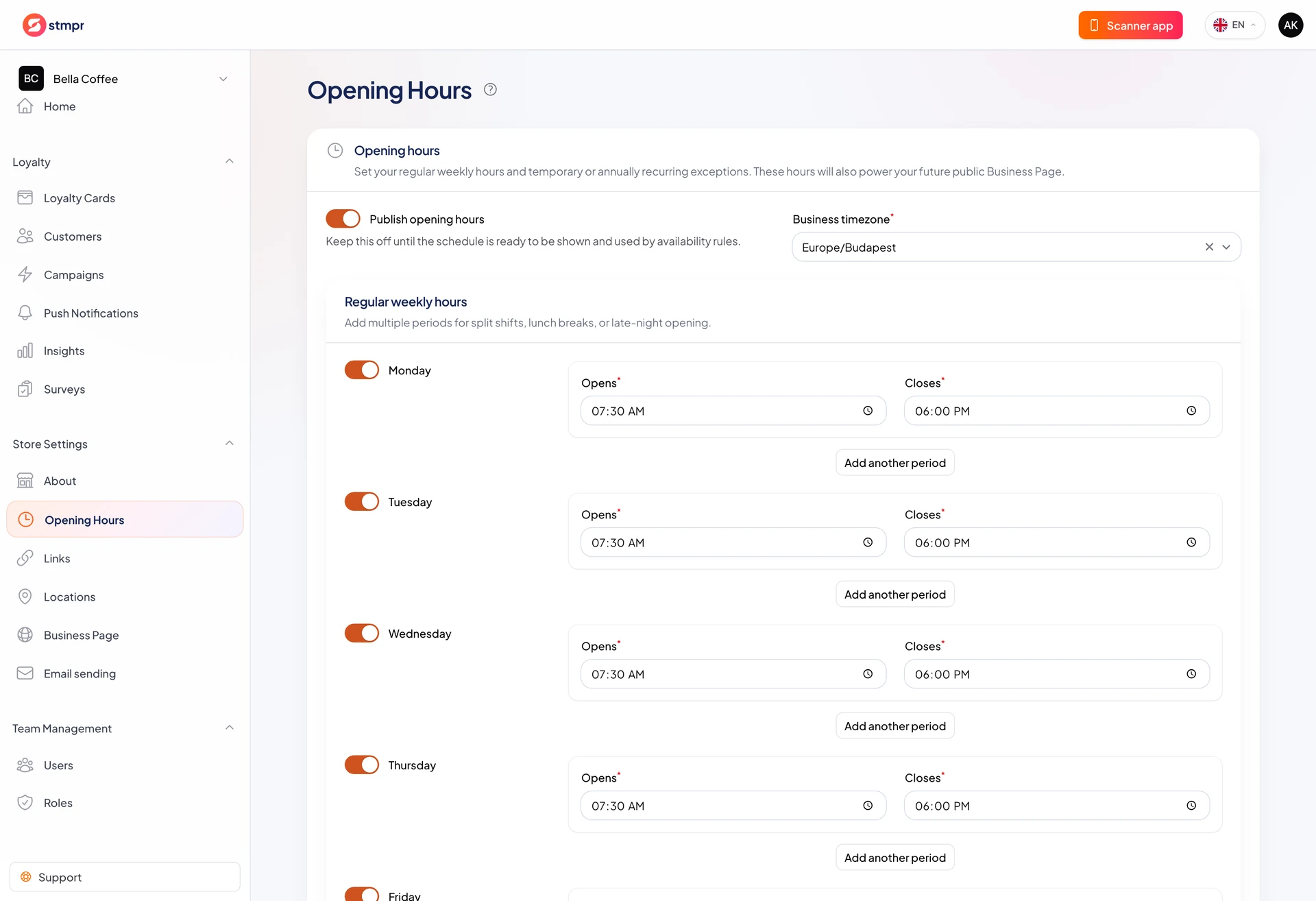
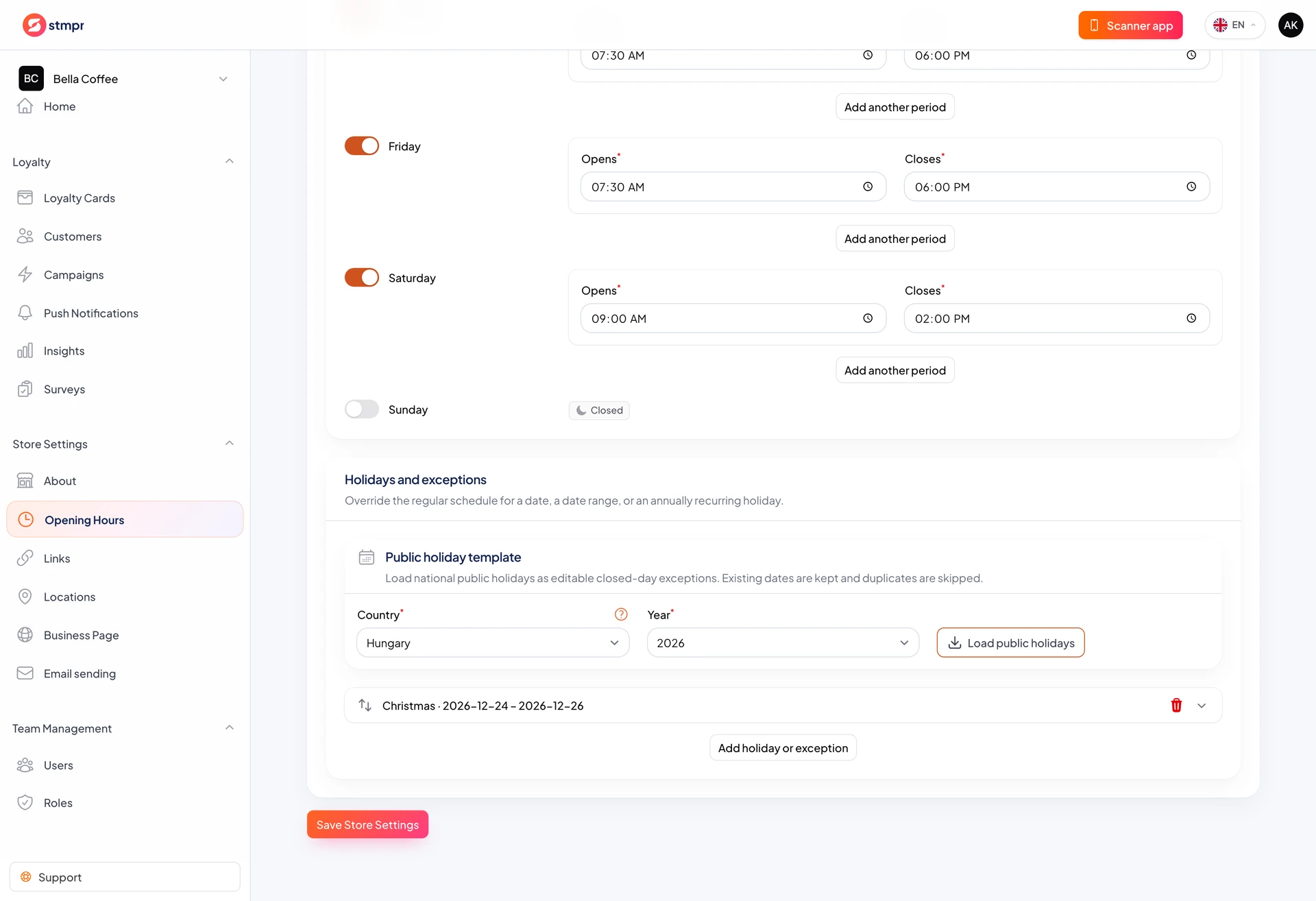
Under Store Settings Opening Hours set weekly hours, closed days, and holiday exceptions.
Multiple time slots per day support lunch breaks or evening reopening.
Published hours can appear on your public business webpage using store timezone.
https://stmpr.io/dashboard/locations · Opening hours
https://stmpr.io/dashboard/locations · Holidays
Step by step
- Open Store Settings Opening Hours.
- Set store timezone and enable open days.
- Enter open and close times. Use Add time slot for split hours.
- Under Holidays and exceptions add one-off or recurring closures or special hours.
- Use Load holidays for country and year, then edit as needed.
- Enable Publish opening hours and Save.
Exceptions and holidays
- Exceptions override regular weekly hours for that date.
- An exception can be closed all day or custom hours.
- Holiday templates skip duplicate dates and remain editable.
- Onboarding country prefills default holiday country.