Everything guests need behind one link
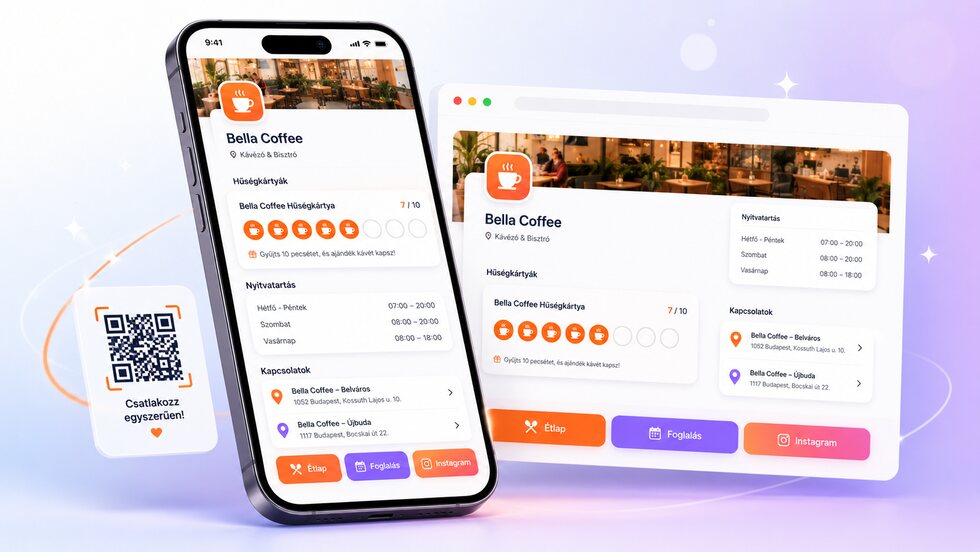
Your loyalty card, opening hours, menu, booking page and social profiles often live in different places. The stmpr business webpage brings them together in one mobile-friendly link for your social bio, messages and counter QR code.
Public business webpage
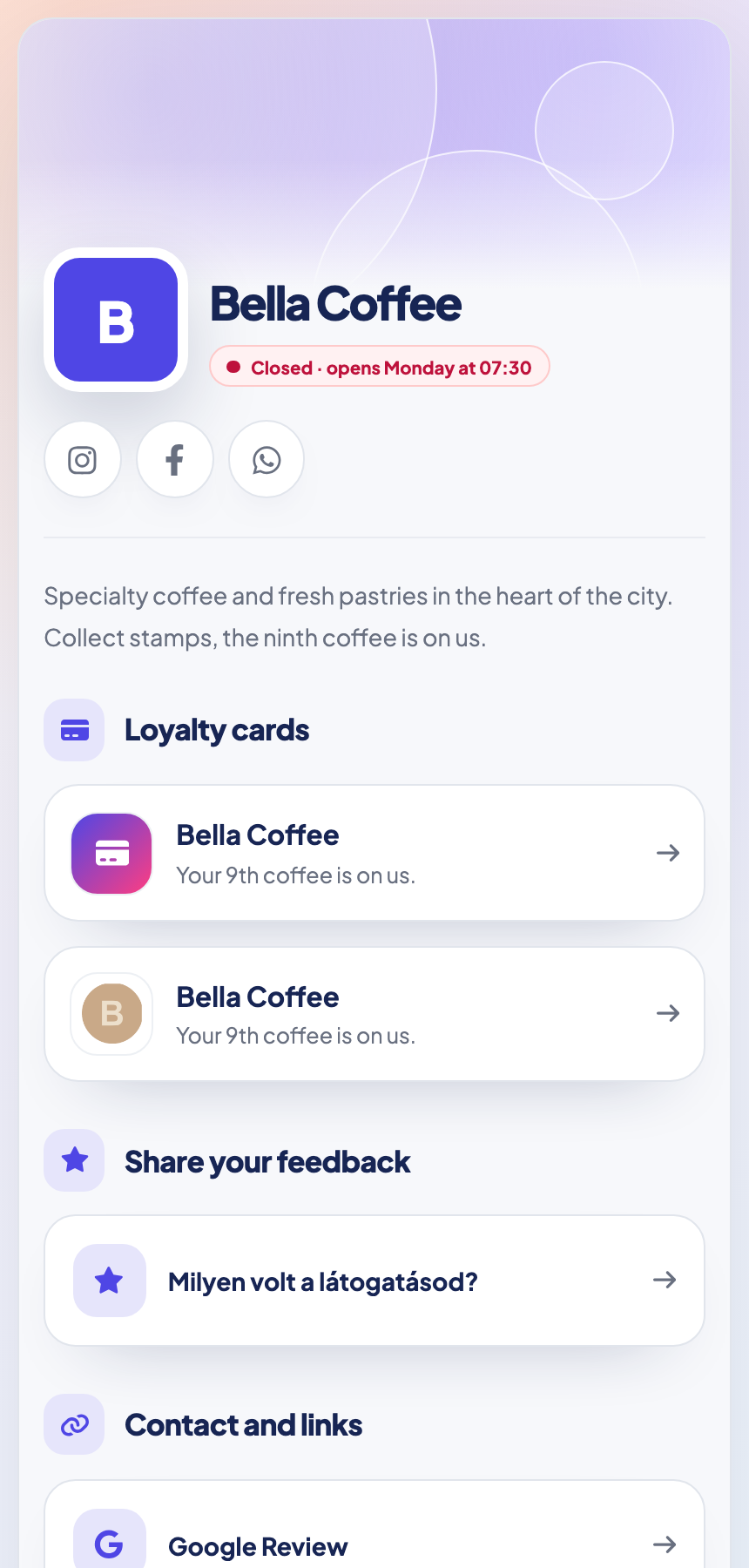
Loyalty cards, opening hours, locations and important links on one easy-to-share page.
- Show published loyalty cards and take guests straight to sign-up.
- Keep weekly hours, holiday exceptions, locations and business links together.
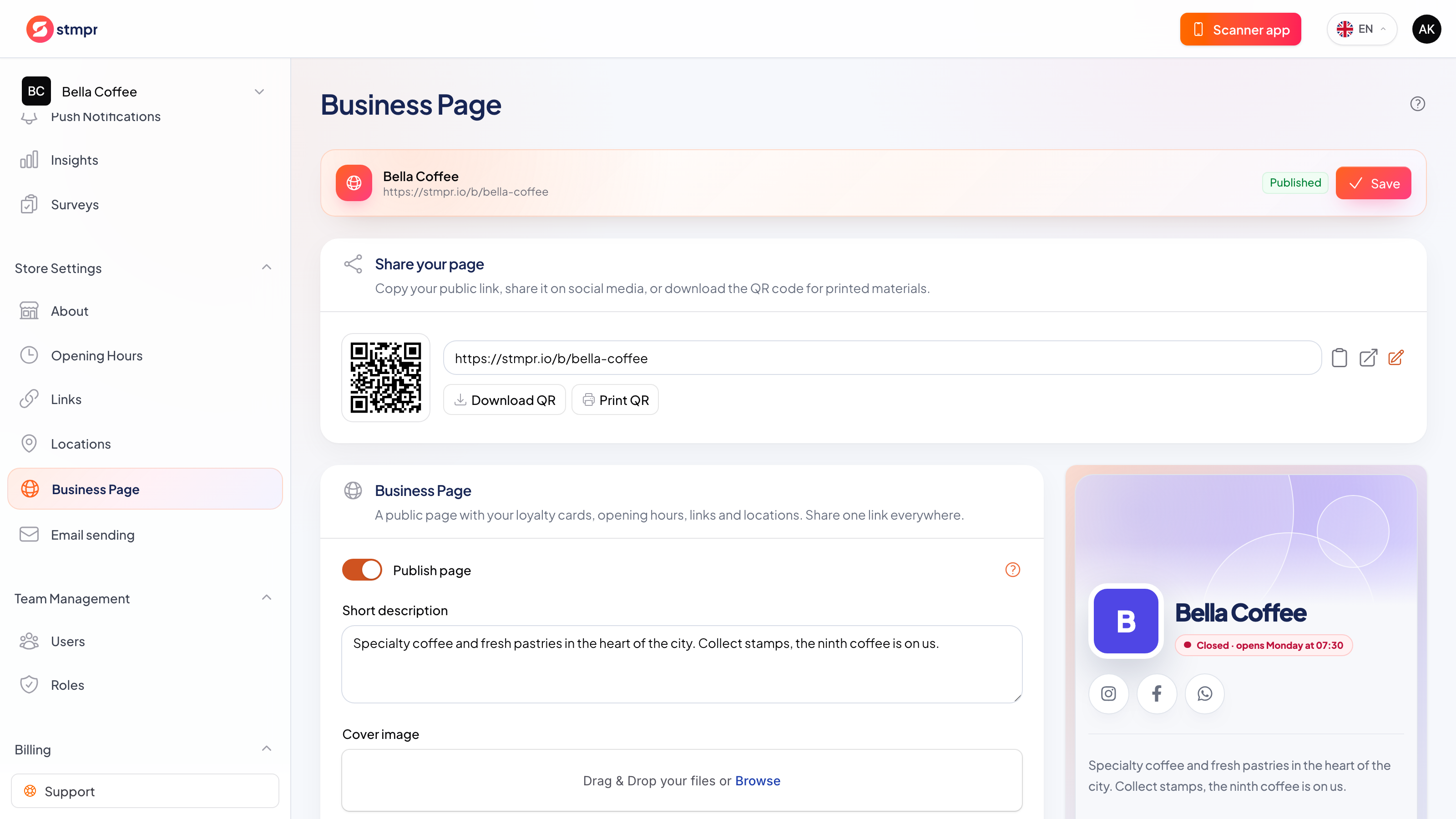
- Choose the color, background and visible sections, then share the page by link or downloadable QR code.
How it works in practice
-
Add your business profile, opening hours, locations and links in the dashboard.
-
Choose which published loyalty cards and sections should appear.
-
Set the short description, accent color and background, then check the preview.
-
Publish the page, copy its link or download the QR code for print.
Privacy by default
Guests can join without giving an email, and you only collect the data you actually need. Personal details are never required to issue a card or add a stamp. No per-customer or per-scan fees, and guest limits depend on your plan.
One link with the details that matter
One current link instead of scattered profiles
The page is not a website builder; it is a focused route from discovery to a loyalty-card join.
| Area | Common workaround | stmpr |
|---|---|---|
| Guest journey | Hours, booking, menu and loyalty live behind different links. | Published cards and practical business details sit on one mobile page. |
| Updates | A static bio page repeats information that soon becomes outdated. | Opening hours, exceptions, locations and links use the same dashboard data. |
| Conversion | A generic link list sends visitors away without a loyalty next step. | The selected Wallet cards have direct join actions alongside the business details. |
Questions about this feature
What goes on the business webpage?
Do I need an existing website or my own domain?
Can I edit it later?
Set it up step by step
Short walkthroughs with screenshots from the knowledge base, in case you get stuck.
- Publish and share a business webpage
- Business link management
- Set hours and holidays
- Public link and QR