Disponibilità
Kiosk mode lives in the scanner app; staff configure it right on the device.
At fast counters, events and food trucks, staff may not have time to scan every card. In kiosk mode a phone or tablet on the counter reads the guest's own Wallet pass, with no staff involvement.
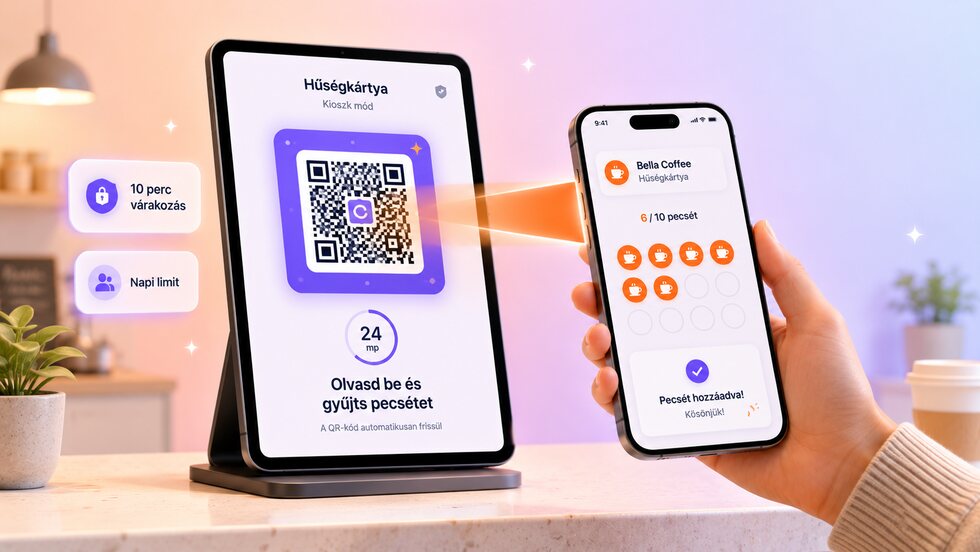
I clienti timbrano da soli: un dispositivo al banco legge la loro tessera nel wallet, con attesa, limite giornaliero e uscita con PIN.
The guest scans their own pass, and server-side limits keep the flow quick without inviting abuse.
| Area | Soluzione abituale | stmpr |
|---|---|---|
| Code | A printed QR can be photographed and reused anywhere. | The kiosk reads the guest's own Wallet pass, so there is no shared code to copy. |
| Frequency | The same guest may repeat the action immediately. | A one-hour cooldown and a daily limit are enforced on the server. |
| Visibility | Self-service actions disappear into an untracked total. | Kiosk stamps and blocked attempts appear in an audit trail. |
Kiosk mode lives in the scanner app; staff configure it right on the device.
I clienti possono iscriversi senza lasciare un’e-mail e tu raccogli solo i dati che ti servono davvero. Per emettere una carta o dare un timbro non sono mai richiesti dati personali. Nessun costo per cliente o per scansione, e clienti illimitati nei piani a pagamento.
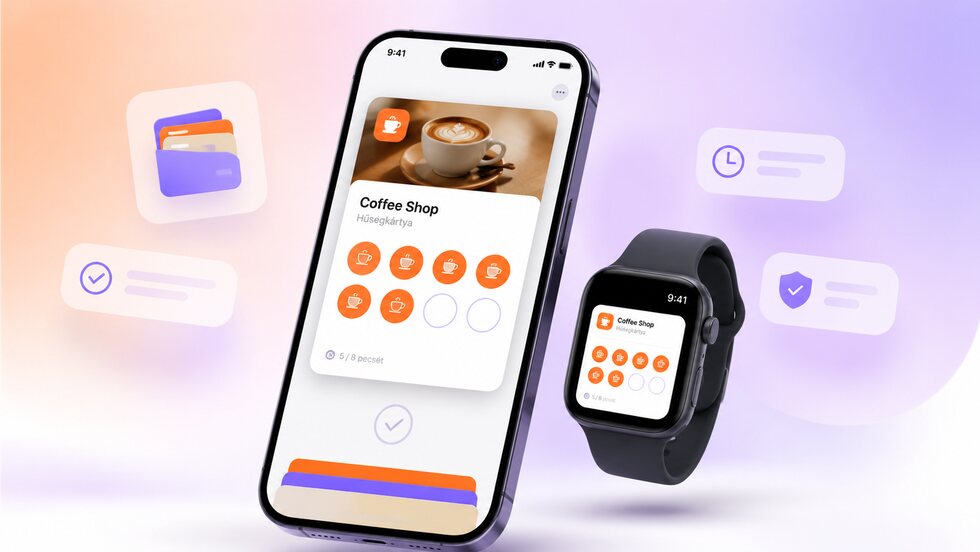
I clienti salvano la carta fedeltà nell’Apple o Google Wallet già presente sul telefono. Non devono scaricare un’altra app e la carta è sempre a portata di mano, anche su smartwatch compatibili.

Ricorda ai clienti quando sono vicini a un premio, non passano da un po’ o quando hai un’offerta in corso. Il messaggio li raggiunge tramite la carta salvata nel Wallet.
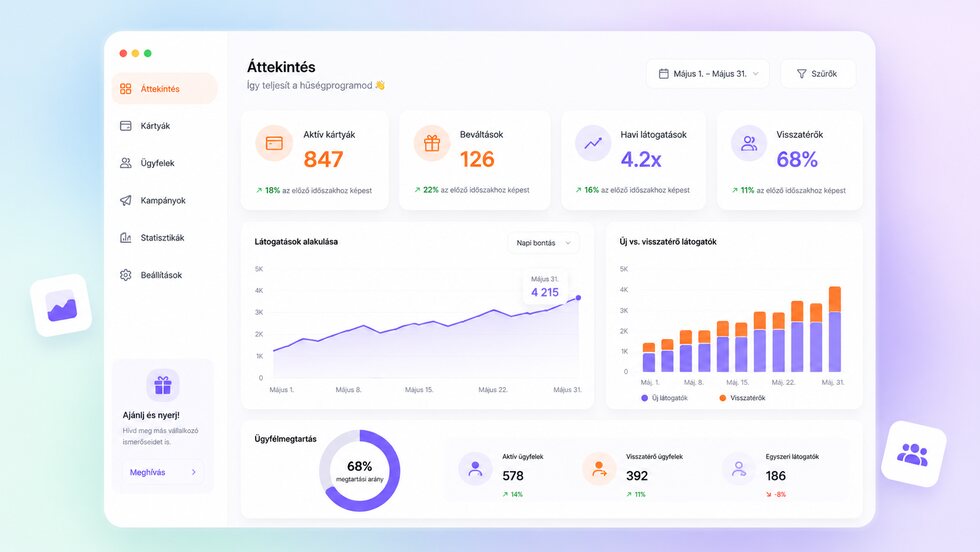
Monitora quanti clienti si sono iscritti, quanti timbri hai dato, quanti premi sono stati riscattati e quale offerta riporta meglio i clienti.
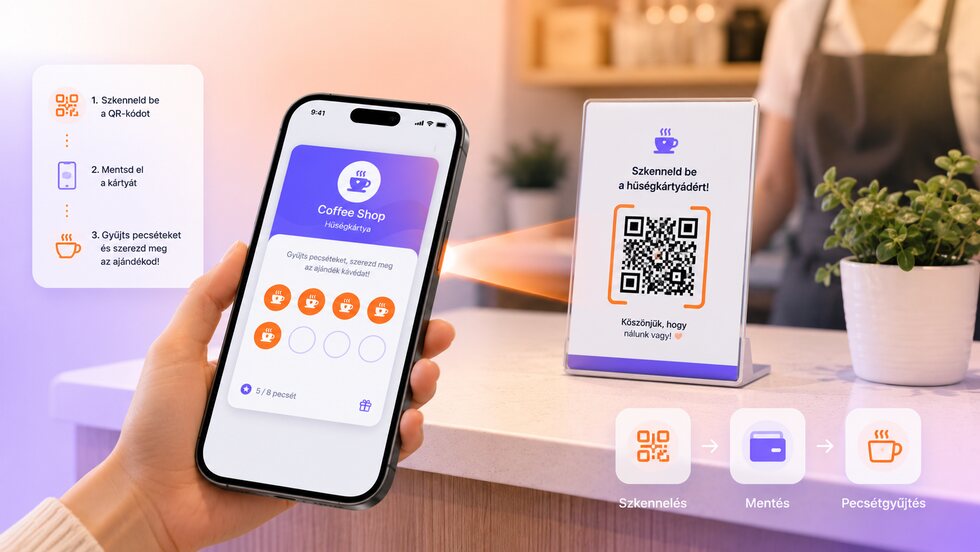
Scansiona il codice QR sul telefono del cliente, timbra e riscatta il premio. Non serve integrarlo con la cassa, quindi parti subito.
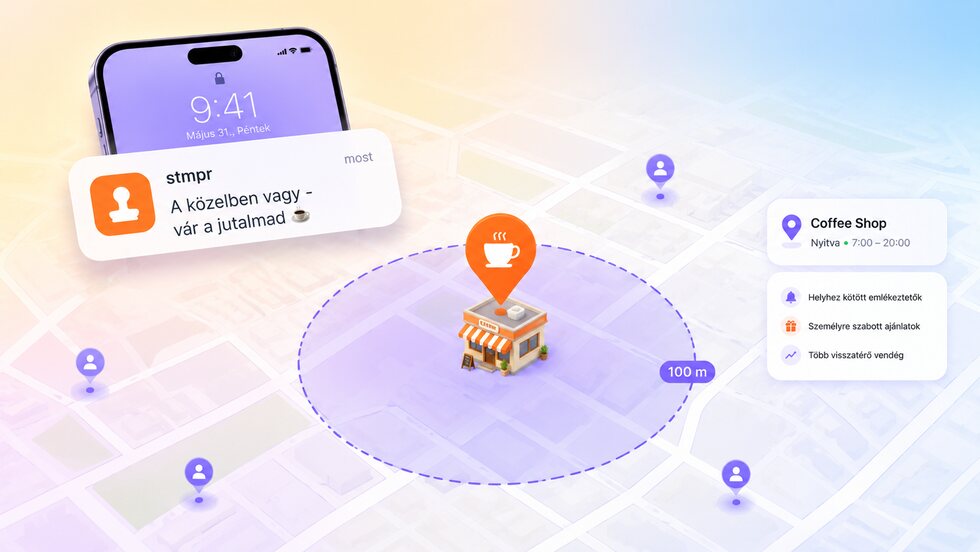
Quando i clienti sono nelle vicinanze, possono ricevere un promemoria automatico, così è più facile che passino, raccolgano timbri o riscattino il premio.
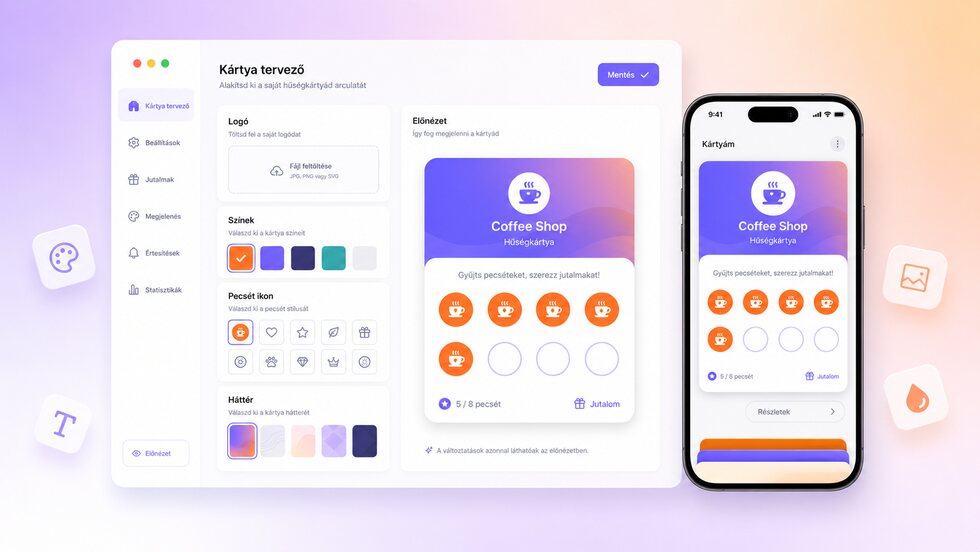
Imposta il tuo logo, i colori, le icone, i timbri e i premi. La carta si adatta all’identità della tua attività, senza competenze di design.
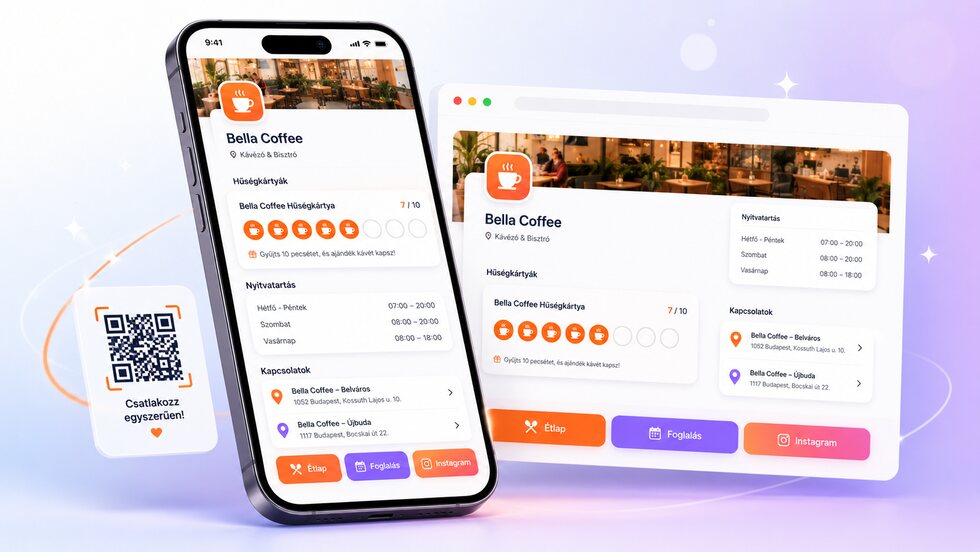
Carte fedeltà, orari, sedi e link importanti in un’unica pagina facile da condividere.
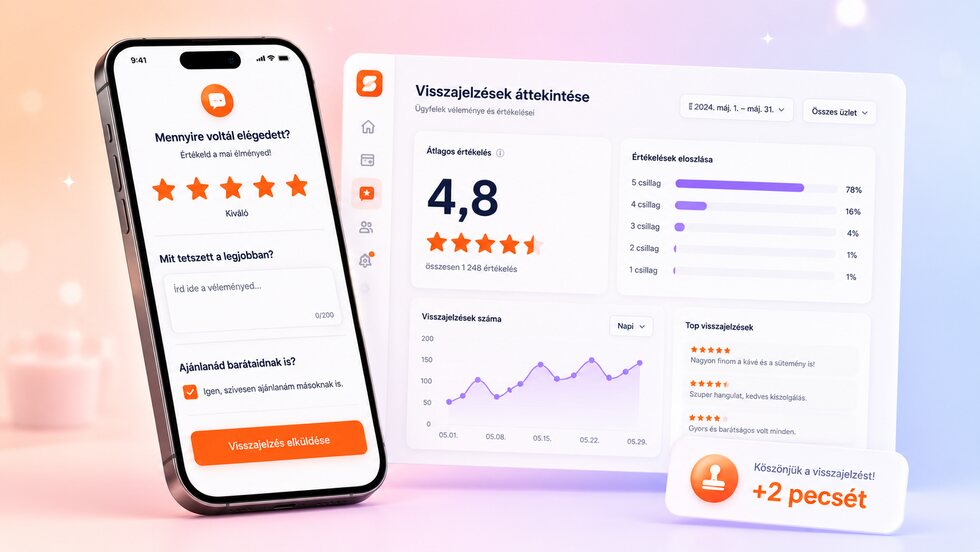
Chiedi un parere nel momento giusto, premia facoltativamente il sondaggio con timbri e trasforma le risposte in tendenze chiare.
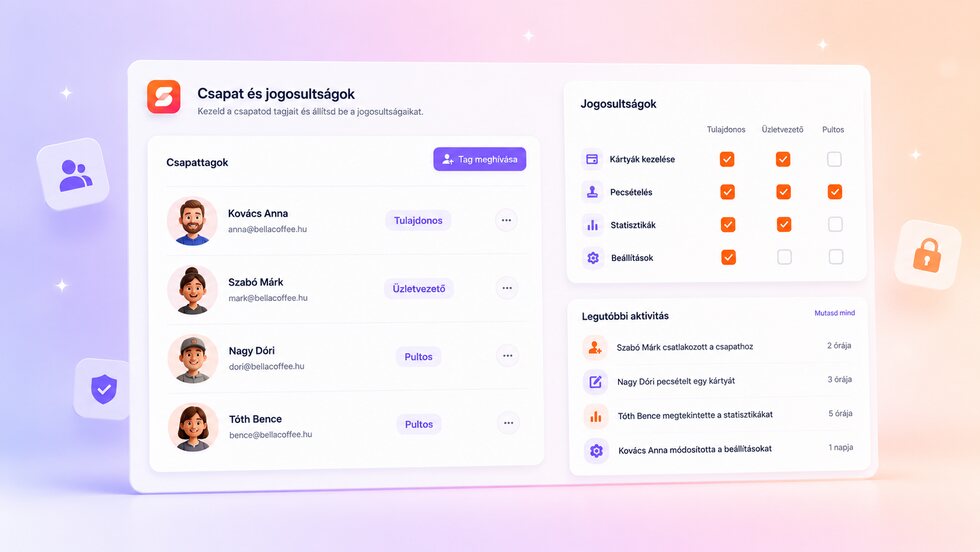
Account individuali e accesso corretto per titolari, responsabili e personale.
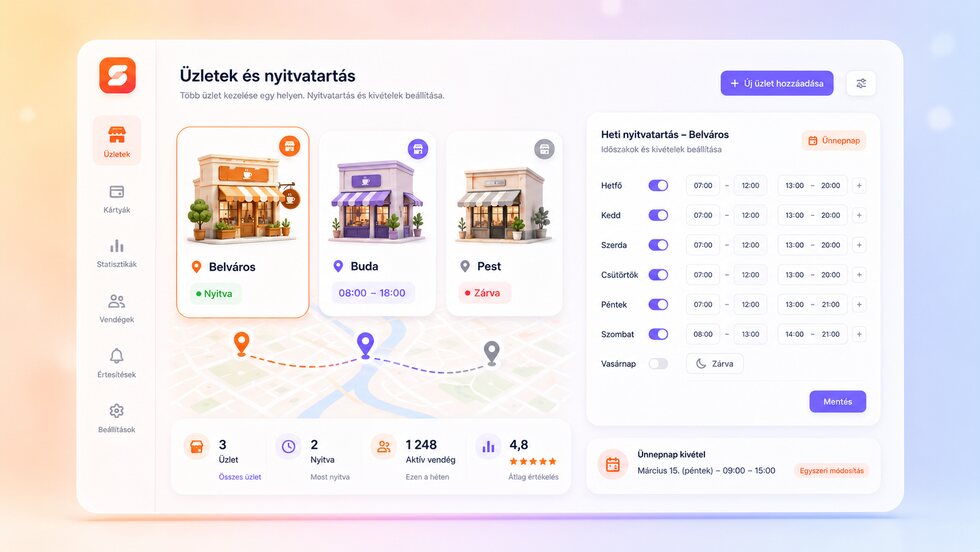
Gestisci filiali, orari settimanali e festività da un solo spazio.
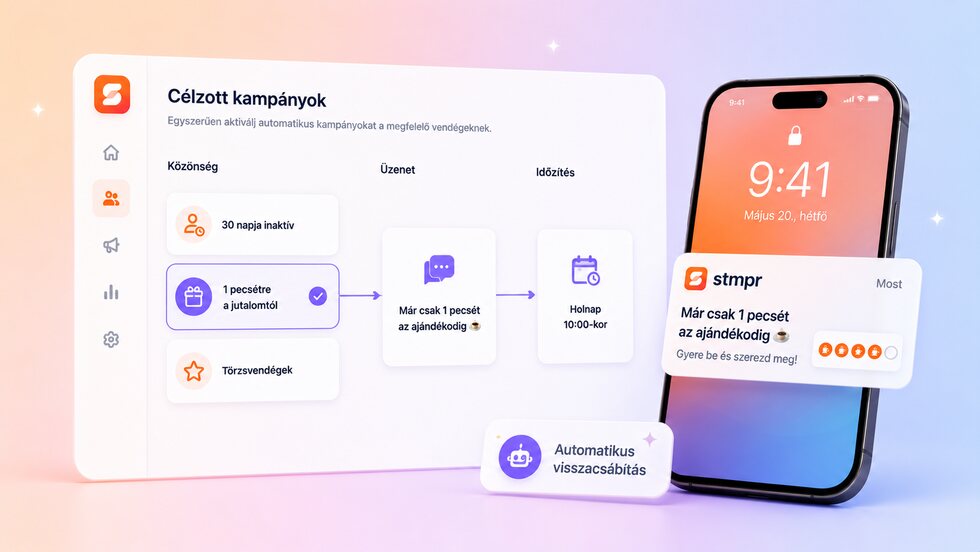
Raggiungi i clienti in base all’attività e automatizza la riattivazione.
Iscriviti alla lista d’attesa e prova tra i primi le carte fedeltà di stmpr basate su Apple e Google Wallet.